An NGO can have thousands of documents without having an effective document management system.
The problem is not always storage capacity. It is organisation.
A registration certificate may be saved in one employee's email. A donor agreement may be in Google Drive. An invoice may be on a finance employee's laptop. A project report may exist as a WhatsApp attachment. A board resolution may be available only as a scanned PDF.
When an auditor, donor or CSR partner asks for a document, the team then spends hours searching through folders and conversations.
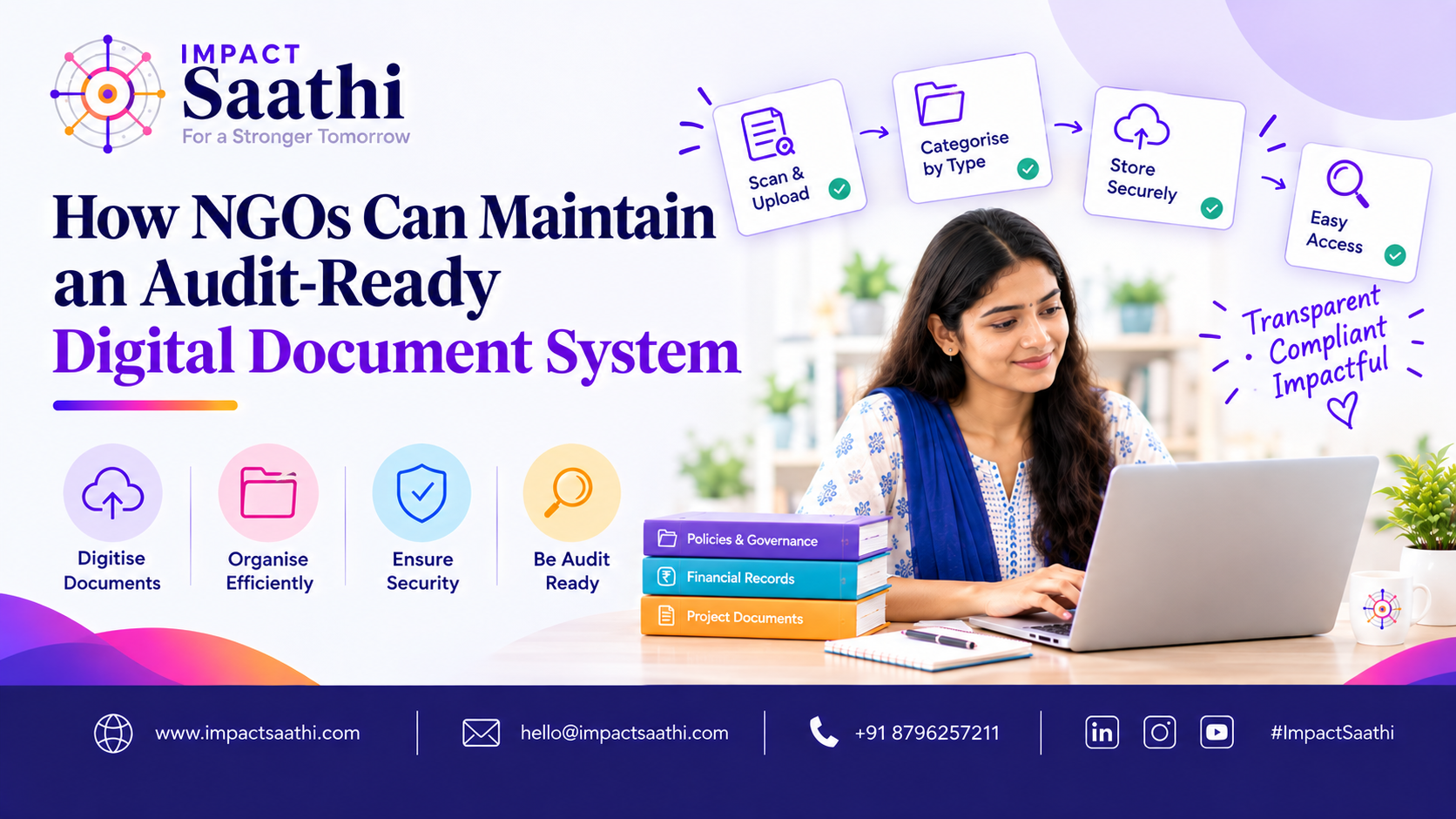
This is why NGOs should build an audit-ready digital document system.
The objective is simple: every important document should have a known location, owner, naming convention, access rule and retention approach.
What Is an Audit-Ready Digital Document System?
An audit-ready document system is a structured digital repository where an NGO stores and manages important organisational documents so they can be retrieved efficiently when needed.
It should provide:
Centralised storage
Logical folders
Standard naming
Access control
Version management
Backup
Search
Document ownership
Expiry tracking
Retention rules
A document system should support everyday operations, not just annual audits.
Why NGOs Need Better Document Management
Consider an NGO with:
50 employees
100 volunteers
3,000 donors
20 projects
10 funding partners
The organisation may generate thousands of documents every year.
Without structure, information becomes fragmented.
Employees may create duplicate files.
Old versions may be used accidentally.
Sensitive information may be shared with people who do not need access.
Important certificates may expire without anyone noticing.
A structured system addresses these problems.
Step 1: Identify Document Categories
Start by creating a document taxonomy.
A practical structure might include:
01 Organisation
Registration
Governing documents
PAN
Policies
Board documents
02 Compliance
Tax
12A
80G
FCRA
CSR-related records
Regulatory correspondence
03 Finance
Bank
Accounting
Expenses
Budgets
Financial statements
Audit
04 Fundraising
Donor records
Campaigns
Donation reports
Receipts
05 Projects
Proposals
Agreements
Budgets
Reports
Monitoring
06 HR
Employee documents
Payroll
Policies
07 Volunteers
Registration
Assignments
Training
Hours
The exact structure should reflect the NGO's activities.
Step 2: Create Naming Standards
File names should be predictable.
A useful structure is:
DocumentType_Organisation/Project_Date_Reference
For example:
GrantAgreement_ProjectA_2026-06-15.pdf
Invoice_VendorName_2026-07-10_INV-145.pdf
BoardMinutes_2026-06-30.pdf
80G_Certificate_Organisation_2026.pdf
Good naming reduces dependency on memory.
Step 3: Control Access
Not every employee should have access to every document.
A basic role-based approach might be:
Finance
Access to financial records.
HR
Access to employee information.
Programme Team
Access to project documentation.
Fundraising
Access to relevant donor information.
Senior Management
Broader reporting access.
Volunteers
Only the information necessary for their work.
This principle is known as least-privilege access.
Step 4: Protect Personal Information
NGOs may handle significant amounts of personal information.
Examples include:
Donor contact details
PAN-related information
Employee data
Volunteer information
Beneficiary data
Personal information should be handled according to applicable privacy obligations and organisational policies.
Impact Saathi describes its donor CRM as consent-first and designed around India's DPDP framework, reflecting the growing importance of privacy-aware information management for NGOs.
Step 5: Establish Version Control
A common problem is having files such as:
AnnualReport.pdf
AnnualReport_Final.pdf
AnnualReport_Final2.pdf
AnnualReport_Final_New.pdf
This creates confusion.
A better approach is:
AnnualReport_2025-26_v1
AnnualReport_2025-26_v2
AnnualReport_2025-26_APPROVED
Only the approved version should be treated as the official document.
Step 6: Add Document Owners
Every important document category should have an owner.
For example:
Category
Owner
Compliance
Compliance Manager
Finance
Finance Manager
HR
HR Lead
Projects
Programme Head
Fundraising
Fundraising Lead
The owner is responsible for ensuring records remain current.
Step 7: Track Expiry Dates
Some documents have validity or renewal requirements.
Create an expiry register.
Document
Expiry
Reminder
Certificate
Date
90 days
Registration
Date
90 days
Insurance
Date
60 days
Contract
Date
60 days
Automated reminders can reduce the risk of missed renewals.
Step 8: Separate Active and Archived Documents
Not every document needs to remain in the active workspace.
Use two broad categories:
Active
Documents currently being used.
Archive
Historical documents retained for reference or record-keeping.
This makes active folders easier to navigate.
Step 9: Establish Backup Procedures
A digital document system should not depend on one device or one employee.
Backups should be:
Regular
Secure
Tested
Access-controlled
A backup is useful only if the organisation can actually restore the information when needed.
Step 10: Create a Document Retention Policy
Not every document needs to be kept forever.
The NGO should establish retention rules based on:
Legal requirements
Tax requirements
Grant agreements
Organisational policies
Audit requirements
Privacy considerations
The retention period may vary by document type.
Professional advice should be obtained where specific legal retention periods apply.
Step 11: Build an Audit Index
A simple audit index can make annual reviews much easier.
For example:
Audit 2025–26
Financial statements
Bank records
Donation records
Expenses
Grants
CSR projects
Assets
Compliance
Payroll
Governance
Each category should contain the relevant documents or links.
Step 12: Digitise Historical Records Carefully
Many NGOs have years of paper files.
Do not try to digitise everything simultaneously.
Start with high-value documents:
Registration certificates
Tax documents
Donor records
Grant agreements
Audit reports
Board resolutions
Important contracts
Then gradually digitise older records.
Step 13: Create Standard Operating Procedures
Technology alone will not maintain document quality.
Create simple SOPs.
For example:
When a new document is created:
Use the correct template.
Name it according to the standard.
Save it in the correct folder.
Assign the owner.
Mark the document status.
Restrict access where required.
This creates consistency.
Step 14: Review the System Quarterly
Every quarter, review:
Duplicate documents
Expired documents
Incorrect permissions
Missing files
Old versions
Backup status
Archive requirements
Quarterly maintenance prevents the system from becoming another digital mess.
Common Mistakes
Using personal email accounts
Important organisational documents should not depend on personal accounts.
Giving everyone access
More access does not necessarily mean better collaboration.
No naming convention
Search becomes difficult.
No ownership
Nobody knows who is responsible for keeping information updated.
No backup testing
A backup that cannot be restored is not a reliable backup.
How Technology Can Support the System
Modern NGO platforms can combine:
Document storage
Compliance alerts
Donation records
Donor histories
Reporting
Impact Saathi currently provides a certificate vault and compliance alerts alongside donation and donor-management capabilities, illustrating how document management can be connected with wider NGO operations.
Conclusion
An audit-ready document system is not simply a digital filing cabinet.
It is an organisational information system.
The best systems make it easy to answer five questions:
What is the document?
Where is it?
Who owns it?
Who can access it?
Is it current?
NGOs that answer these questions consistently can reduce administrative confusion and improve operational continuity.
Most importantly, document management should be built into everyday workflows instead of being treated as an annual audit activity.
FAQs
What is an audit-ready document system?
It is a structured digital system where important organisational documents are stored, organised, secured and easily retrievable.
Should every NGO use cloud storage?
Cloud storage can be useful, particularly for distributed teams, but the organisation should evaluate security, permissions, backups and compliance requirements before selecting a service.
How should NGO documents be named?
Use a consistent naming structure containing information such as document type, project or organisation name, date and reference number.
Who should have access to financial documents?
Access should generally be limited to people who need it for their responsibilities, with broader access provided only when appropriate.
How often should NGO documents be reviewed?
A quarterly review is a practical starting point, with more frequent reviews for high-risk or frequently changing records.
What documents should NGOs digitise first?
Start with critical organisational, compliance, financial, donor, grant and governance documents.
Can digital documents completely replace paper documents?
Not necessarily. Some documents may still need to be retained in physical form depending on applicable requirements and organisational policy.